Thursday, February 28, 2013
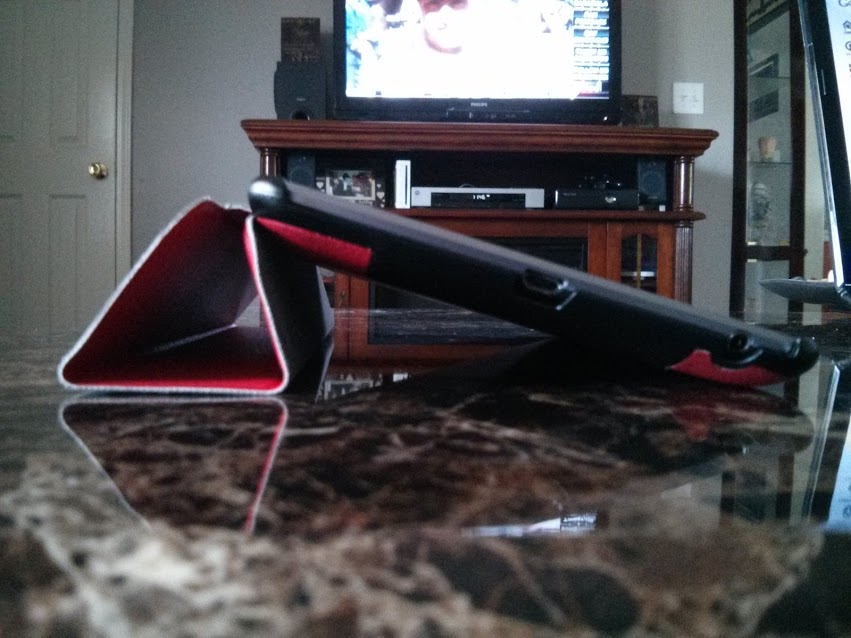
[Accessory] Poetic Slimline Case | Nexus 7
Thursday, February 21, 2013
[How To] Microsoft Office On Your Chromebook | SKYDRIVE
At the moment, MS Office in its humongous footprint, program form isn't available for the Chromebook but that doesn't mean you can't use it. Microsoft offers an online web app called Skydrive that's free to use and offers most of the features found in the traditional pc suite.
It has a simple UI that makes finding your files easy. From the dashboard, you can access not only your folders and files saved in the cloud, online, but you are able to access your folders on your pc that are synced as well. More on this in a bit...
You can create a new Word, Excel, Powerpoint, or OneNote document in Skydrive, as well. Just click on the Create icon at the top, select the type of document you want to use, and you're off and running.
On your pc, you can download the app that allows you to sync specific folders to Skydrive to access them anywhere.
As for the Chromebook, this is a quick and easy way to use MS Office whenever you're not able to or prefer not to use Google Docs or other office suites available. I've had to use this in a pinch a few times, such as when editing slideshows originally created in Powerpoint. Google Slides isn't going to be completely compatible with it. As much as I love Google Docs and use it as much as possible, sometimes there are situations where you have to use MS Office apps. And I believe this is a solid workaround for fellow Chromebook users.
Wednesday, February 20, 2013
[App] Music Remote - Control Your Stereo With Your Android Device | WITHOUT Wifi or Bluetooth
- Install the app on your old Android device, enable the app in Settings, then connect it to your stereo. This can be done via the headphone jack.
- Next, install the app on your other Android device, as well. Set it up same way you did the first one and choose which device to use as the server (the device connected to the stereo).
- Choose a playlist/tracks and remotely control playback, as well as volume, with your other device. Simple.
![]() |
| Via the Browser Interface URL (mobile) |
- On the connected Android device, go to Settings > Browser Interface > Enable.
- Then tap Share Browser Interface URL.
- Send the link to your email, open it in your web browser, use the on screen controls to operate your connected device remotely. Be sure to bookmark it, baby...
![]() |
| Via the Browser Interface URL (pc) |
So, head on over to the Google Play Store and grab it. It's easy to use and it's free! Don't forget to rate the app after you try it for a bit. Devs need love, too...
Tuesday, February 5, 2013
Nexus 4 Factory Image Is Back
Sunday, February 3, 2013
Airdroid 2 Beta Brings New Features
For starters, now you can connect to your devices over a mobile network as well. This is great because now you aren't limited to a wifi network. Just sign in by creating an Airdroid account, if you haven't already, then link your Google account for quicker sign-ins next time. I can now access my devices from anywhere.
Tuesday, January 15, 2013
Lenovo ditches Windows for Chrome OS
Guys, this is huge news.
For the first time in ages, the prospect of Windows not being the main, go-to OS for business use is becoming a reality.
I'm ecstatic about this because I've personally used Chrome and ChromeOS. I've seen the potential it has. Matter of fact; at my previous job, I routinely locked horns with the IT Administrator there, as we differed in or opinions about Windows vs Linux (Chrome OS).
One of the debates that come to mind was about me getting caught using Chrome as my browser in my office. We weren't allowed to use anything but IE (Internet Explorer). Firefox wasn't even allowed. He had been apparently tracking my computer use & came by one day to bust me. I remember him telling me that "our company runs Microsoft products exclusively & IE is the only browser permitted on these PCs from a safety & security standpoint."
My question to him was "...so you chose to go with the least secure system & browser available?!"
We didn't always argue. In fact, we got along pretty well because at our cores, we were both tech nerds:) However, I was never able to convince him that Chrome OS was the real deal... While I was there;-)
Read the full article here.
Saturday, January 5, 2013
Ditch iTunes Once and For All
UPDATE: Use any cloud storage service you wish, including Google Drive.
So, I just achieved Super Dad status with my 9yr old daughter;-)
- Create a google account for my daughter. (which I had done prior...)
- Open Google Music Manager on my PC, click Advanced, sign out and sign in under her email and password.
- Move all the tunes/artists she likes into a folder named "Google Play Music-PC-<insert name here>.
- In Google Music Manager, click Add Folder and select the folder created in Step 3, click Apply then Upload.
- Go to the Appstore and install gMusic: A Google Music Player ($1.99) and sign in to her Google account.
- To stream, merely tap Play. To sync (make available offline), choose Offline for each desired Artist/Track.


.png)


.png)
.png)