Showing posts with label google+. Show all posts

Tuesday, February 17, 2015

How To Use Google Voice Search On Your Pebble Smartwatch

    Have a Pebble smartwatch and feel a little left out as all the Android Wear folks rock the cutting edge?  Sure, Android Wear smartwatches look awesome & have touchscreens.  Some even have a built in microphone, which allows you to perform various voice tasks such as a Google search or tell your mobile device to play some Korn.  But what if I told you that you can have nearly the same thing using your Pebble & an app called AppLauncher?  Although Pebble doesn't have a built in mic, as long as your mobile device is nearby (which it most likely is), you can easily do this and here's how...


First, go to Google Play Store and install AppLauncher.


Next, under Pebble settings tap Install Watch App on Pebble.


Allow it to install the Pebble app onto your Pebble watch...
Go back into the main app on your mobile device and select Applications.


Choose Google Voice Search.


On your Pebble watch go into Settings and select Quick Launch.


Here is where you can preset the top or bottom button on your Pebble watch to trigger any installed Pebble app.  Select either top or bottom button and then choose AppLauncher as the preset app.


Now, just long press the button you selected to trigger AppLauncher.  When it pops up on your Pebble watch, select Google Voice Search (microphone icon).  This will trigger the app on your mobile device.
When you hear that distinctive "chirp", speak your command.  


Example:  "Play Korn."


I've been using this method for quite awhile now and it works almost flawlessly.  To be honest, it's going to depend on the proximity of your mobile device and background noise, as normal.  I find it comes in very handy.  I don't have to pull out my phone so often and am able to more fully utilize the abilities of my Pebble watch.  
Best of luck.  Also, let me know how you would use this.  Give me some ideas!


Links:


Thursday, October 16, 2014

How Nexus Became Premium And Hangouts Got MMS

 Cost and Reaction

Nexus 6
    I was surprised to learn, recently, that the Nexus 6 would start at $650.  In fact, I received some criticism from others when I posted about it on Google+.  Truth is, I was expecting a lower price, ranging between $450 to $500.  The reasons being, well... because it was a Nexus, and because the two prior models were below $400.  From what I gathered while reading various threads about it online, I wasn't alone in being a bit shocked at the price tag.  By the way, the Nexus 9, which is a 9" tablet that was announced the same day actually costs less.  Go figure...  
    The main reason I've seen thrown up in most of the threads is due to it's being larger and higher specs.  Ok.  I get it, but I don't think that's the all there is to it.  I've had some time to think about it and I've realized that there are several things in play here that are worth mentioning and I'll explain how I believe they are all related.


Juggling Act 


    1-3.  If you've used Google Voice in the past, you know that you couldn't use MMS with it on most carriers.  To my knowledge, Sprint was the only carrier that supported it.  Then Google launched a new messaging service called Hangouts that was intended to merge all of their various services into one.  And up until recently, everything worked except for MMS.  The carriers just wouldn't budge on that.  This meant that if you used Hangouts as your primary messaging app and someone sent you an MMS, you didn't receive it.  But in the latest update, Hangouts (Google Voice) finally received MMS support from all but one of the carriers (Verizon).
Hangouts and MMS

    4.  Next up, Moto X.  The Moto X currently costs about $500 unlocked, from MotoMaker.  The Nexus 6, being inspired by the Moto X, would be directly competing with it and wouldn't make sense to undercut the Moto X.  
motomaker.com
    
5.  Android One is Google's newest project focused on high quality, lower cost devices, with long term OS version support, much like a Nexus.  Although currently only available in India, as it just rolled out, I believe it will soon be Google's entry level tier.  If you, like myself, are interested in low cost devices in the sub $400 range, then this will be right up your alley.
Android One

  
  6.  And finally, we have the artist formerly known as Android Silver.  Android Silver was a program that was basically designed to head off the upcoming, cheaper competition by making the Nexus line a premium brand.  That's it, in a nutshell.  However, according to several reports, the program was dead or had been put on hold.  I don't think it is.  Regardless of the name of the program, the Nexus name will continue. I believe what we're seeing with the new Nexus 6 is this program coming to fruition, which isn't a bad thing at all.  

    So how are all these things related?  Some concessions/deals were made, which is what Google is particularly good at.   Basically, I think the carriers haven't been too interested in Nexus devices in the past because they weren't exactly known as premium and were considered "developer" models.  When Google introduced Android One as its entry level tier and Nexus as its premium tier, the carriers now have a reason to get on board.  As part of the deal, it seems likely that they agreed to allow MMS in Hangouts since now Google can be viewed more as a partner rather than a competitor.  

    So in conclusion it looks like Nexus got bumped up to premium status, which explains the $650 price tag, there's now a bigger arena for future devices to be released by Google in the Android One category, none of the devices are competing directly with each other, and now we finally get MMS in Hangouts to round out a true all-in-one messaging app.  Sounds good to me.  What do you think?  


Friday, May 31, 2013

[APP] Scan Documents With Google Drive App | PDF


Google Drive:  Eliminate Clutter and Scan Documents With Your Phone


Perhaps one of the easiest way to cut down on clutter and excessive apps installed on your devices is to consolidate.  What I'm referring to is discovering apps that do more than one thing.  Recently, I used an app called "Camscanner" to scan documents to PDF & save to Google Drive.  What I discovered is that Google Drive does this, too... and very well.  Simply follow the directions below...

From the app:
Just open the Google Drive app (Android) and hit Menu > Add New > Scan > Snap photo > Save to Drive

From the widget:
Tap the camera icon > Snap photo of document > Save to Drive


Can be done using the camera icon on Google Drive widget

Choose Add New

Choose Scan

Snap a photo of the document

Automatically saves document to Google Drive as a PDF


Direct Link: Google Drive


Friday, May 17, 2013

[Tip] Receive All Messages In One App | Hangouts, Google Voice, SMS, MMS

  
+  SMS, MMS


    Hangouts, Google's answer to unifying all of their various messaging services/apps has been updated recently.  To date, it merges Google Talk and G+ Messenger into one app.  It's a great beginning to what will most probably become the defacto messaging app across multiple platforms including, but not limited to Android, Chrome, and Apple's iOS.  
    Although it doesn't support SMS at the moment, there is a workaround to receive Hangouts messages as SMS when idle.  Below are instructions for setting this up as well as how to route your Google Voice messages to the same app as well, if you are one of the many Google Voice users like me.

How To Route All Messages To One Place
  1. On your device, open the Google Voice app > Settings > Sync and Notifications > Receive text messages: (choose Messaging App).
  2. Next, go HERE 
  3. Look for SMS for Hangouts > Edit Settings > Enter your standard carrier phone # and hit SAVE.  (Don't worry about the country drop-down box above the phone number field; it doesn't show USA, but it works regardless.)
  4. On your device, you should be able to receive all your text messages from carrier number, Google Voice number, and Hangouts as well as MMS from both carrier # and Hangouts.  Remember, Google Voice still doesn't support MMS at this time (5/17/2013) unless you're on Sprint.
  5. (Optional)  Add the Messaging widget to one of your homescreens.  From here, you'll be able to view your messages at a glance, scroll through them, place a phone call, and even attach a file.
This is confirmed to work, although messages sent from the Messaging app on Android didn't always appear correctly on the iOS Hangouts app.  Not sure why, but be aware of this glitch up front.  
Be sure to comment and +1 this post.  Thanks guys!

Edit:  Don't want to route Hangouts messages to the Messaging app?  Simply substitute your carrier number with your Google Voice number in Step 3.  Be advised, by doing this, you will not be able to send MMS, as GV doesn't currently support MMS unless you are on Sprint.
Also, remember that this is merely a workaround until Google fully implements everything.  So do the above at your own risk or sit tight & wait it out.  Either way, at least they're working on it now;-)
-Dan

UPDATE:  As Google has integrated SMS into Hangouts, the link in Step 2 no longer available.  It links to a page that cannot be found.  
This is a good thing, however, as it means this work around is no longer needed=D

Thursday, March 14, 2013

[Tip] Great Google Reader Alternative- Feedly | Get On With Your Life


So Google's decided to pull the plug on Google Reader.  If you're like me, this was about like being splashed in the face with cold water; it came as quite a shock.  I'm sure there are reasons why they did it, and I'm also sure that life will go on without it.


The truth is, there are alternatives.  One in particular, that works extremely well is called Feedly.  Feedly does a great job of offering all your RSS subscriptions to you in various ways that I believe will satisfy users across the board.  

To sync with your existing Google Reader RSS subs, simply login by connecting to  Google Reader and Feedly will immediately sync everything over.  In the meantime, any changes you make in Feedly will show up on Google Reader, as well. After July 1st, Feedly will continue to deliver your RSS subscriptions to you without any interruption. 


As previously mentioned, Feedly offers several display options designed to suit a variety of users.  To change views and make it look like your old Google Reader layout, go into Settings and choose "Titles".


Feedly is available on your PC/Mac, as well as Chrome, Android, and iOS and will sync across all of your devices, no matter where you are.  It has both, an app and an extension for Chrome.  
If you're looking for a great, reliable Google Reader alternative be sure to try it out.


Thursday, February 28, 2013

[Accessory] Poetic Slimline Case | Nexus 7

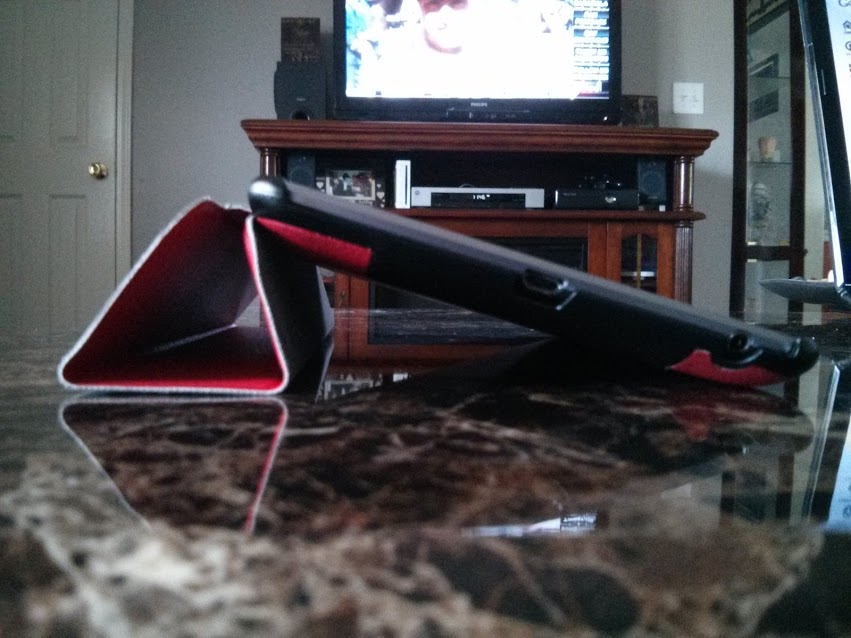
If you're like me, then you probably have a few cases/covers for your devices.  I probably have 3 or 4 just for my Nexus 7.  I recently grabbed the Poetic Slimline case and I couldn't be happier.  It's the perfect combination of sexy, slim, and functional.  I got mine from Amazon for $15.


If you're looking for a great case for your slate, I highly recommend this one.  Despite some early reviews on Amazon reporting poor build quality, I kept checking in noticed how Poetic was not only trying to make it up to their customers, but they were also upgrading the design on this model.
They've done a great job and I'm really impressed with the attention to detail that's gone into it, to date.


Hit the links below for the all the details on the awesome case by Poetic and maybe even pick one up for yourself:-)


Link:  Poetic Slimline case- Nexus 7 (Official Site)

Source:  DroidHorizon


Thursday, February 21, 2013

[How To] Microsoft Office On Your Chromebook | SKYDRIVE

    If you've got a Chromebook and need to work with documents, you know that we have Google Docs (Drive) at our disposal. However, at times you may have found yourself needing to use Microsoft Excel, Word, or Powerpoint for various reasons.  Google Docs are compatible with MS Office docs for the most part, but there are some aspects that end up lost in translation when converting.  If you've been looking for a solution to this problem, this is for you.

    At the moment, MS Office in its humongous footprint, program form isn't available for the Chromebook but that doesn't mean you can't use it.  Microsoft offers an online web app called Skydrive that's free to use and offers most of the features found in the traditional pc suite.


It has a simple UI that makes finding your files easy.  From the dashboard, you can access not only your folders and files saved in the cloud, online, but you are able to access your folders on your pc that are synced as well.  More on this in a bit...


You can create a new Word, Excel, Powerpoint, or OneNote document in Skydrive, as well.  Just click on the Create icon at the top, select the type of document you want to use, and you're off and running.


On your pc, you can download the app that allows you to sync specific folders to Skydrive to access them anywhere.

As for the Chromebook, this is a quick and easy way to use MS Office whenever you're not able to or prefer not to use Google Docs or other office suites available.  I've had to use this in a pinch a few times, such as when editing slideshows originally created in Powerpoint.  Google Slides isn't going to be completely compatible with it.  As much as I love Google Docs and use it as much as possible, sometimes there are situations where you have to use MS Office apps.  And I believe this is a solid workaround for fellow Chromebook users.


Hope this helps!  Be sure to +1 this post and subscribe for more tech news, tips, and tricks.  Thanks guys!

Link: Skydrive


Wednesday, February 20, 2013

[App] Music Remote - Control Your Stereo With Your Android Device | WITHOUT Wifi or Bluetooth

    One of the great things about Android is the ever evolving, open, and increasingly easy ways to connect everything we use on a daily basis.  This has become a major selling point for the platform, and there are so many apps that lend to this.  Some apps shine and actually make our lives a bit simpler; the way it should be.
For example, have you ever wished you could use your Android device as a remote control with your stereo?  Music Remote by Ubergrund, is a free app that lets you do this, easily and best of all - without the need of a wifi or bluetooth connection.


    I have personally been using this app for a few months and I highly recommend it.  It's reliable and fairly simple to set up and use.  It's also an easy and cheap way to breathe new life back into those old Android devices you may still have lying around or in a drawer.

The premise is simple:  
  1. Install the app on your old Android device, enable the app in Settings, then connect it to your stereo.  This can be done via the headphone jack.
  2. Next, install the app on your other Android device, as well.  Set it up same way you did the first one and choose which device to use as the server (the device connected to the stereo).
  3. Choose a playlist/tracks and remotely control playback, as well as volume, with your other device.  Simple. 
Via the Browser Interface URL (mobile)
Another great feature if you don't want to install the app on the other device or don't have a second/spare Android device to use, is the ability to control it with your Mac/PC/Chromebook via the web.  

Operating this way is just as simple:
  1. On the connected Android device, go to Settings > Browser Interface > Enable.
  2. Then tap Share Browser Interface URL.
  3. Send the link to your email, open it in your web browser, use the on screen controls to operate your connected device remotely.  Be sure to bookmark it, baby...

Via the Browser Interface URL (pc)

So, head on over to the Google Play Store and grab it.  It's easy to use and it's free!  Don't forget to rate the app after you try it for a bit.  Devs need love, too...

Link: Music Remote  (Google Play Store)


Tuesday, February 5, 2013

Nexus 4 Factory Image Is Back

If you own a Nexus 4 and need/want the factory image, you'll be pleased to know that it is now back online and available for download here.


For whatever reason, Google pulled the Nexus 4 image from the site shortly after releasing the device.  Unless you were one of the few that grabbed it before it disappeared, access to it was a bit tricky.  Fortunately, it has been restored to the site... for now. 


Source: Droid Life


Tuesday, January 15, 2013

Lenovo ditches Windows for Chrome OS

Guys, this is huge news.
For the first time in ages, the prospect of Windows not being the main, go-to OS for business use is becoming a reality.
I'm ecstatic about this because I've personally used Chrome and ChromeOS. I've seen the potential it has. Matter of fact; at my previous job, I routinely locked horns with the IT Administrator there, as we differed in or opinions about Windows vs Linux (Chrome OS).

One of the debates that come to mind was about me getting caught using Chrome as my browser in my office. We weren't allowed to use anything but IE (Internet Explorer). Firefox wasn't even allowed. He had been apparently tracking my computer use & came by one day to bust me. I remember him telling me that "our company runs Microsoft products exclusively & IE is the only browser permitted on these PCs from a safety & security standpoint."

My question to him was "...so you chose to go with the least secure system & browser available?!"

We didn't always argue. In fact, we got along pretty well because at our cores, we were both tech nerds:) However, I was never able to convince him that Chrome OS was the real deal... While I was there;-)

Read the full article here.

Saturday, January 5, 2013

Ditch iTunes Once and For All


UPDATE: Use any cloud storage service you wish, including Google Drive.
So, I just achieved Super Dad status with my 9yr old daughter;-)
She has both, an iPod Touch and iPad Mini, and putting music onto them is a complete P.I.T.A. due to the fact you have to use iTunes.  For over a year, it's been hit or miss trying to sync the kid some stinking tunes onto her iPod but I vowed to figure out a solution to this B.S.  I use Google Play Music exclusively on all my stuff (Android user) and everything's so much easier to do on an Android device; why does everything have to be so complicated & require a workaround on iOS??
It came to me recently, while browsing through the Appstore on her iPad that there were generic Google Play Music apps available. So after a bit of dwelling on the issue, I figured out a way to beat the system...

HOW TO SET UP GOOGLE PLAY MUSIC ON iPAD / iPOD / iPHONE

  1. Create a google account for my daughter. (which I had done prior...)
  2. Open Google Music Manager on my PC, click Advanced, sign out and sign in under her email and password.
  3. Move all the tunes/artists she likes into a folder named "Google Play Music-PC-<insert name here>.
  4. In Google Music Manager, click Add Folder and select the folder created in Step 3, click Apply then Upload.
  5. Go to the Appstore and install gMusic: A Google Music Player ($1.99) and sign in to her Google account.
  6. To stream, merely tap Play. To sync (make available offline), choose Offline for each desired Artist/Track.
Hope this helps anyone who has been trying to figure out an easy workaround to this issue. Anybody who already uses Google Play Music is familiar with this process.


Wednesday, September 12, 2012

iPhone 5 better bring it...

To my surprise, I've been hearing the same comment more & more lately, from iPhone users & diehards. That comment goes much like this: "If Apple doesn't impress me with this new iPhone, I'm seriously considering switching to Android."
This is a bit shocking to me in some ways because most of my friends who own iPhones say they prefer them over Android phones because of the quality familiar interface. Until Android 4.0 (Ice Cream Sandwich), I didn't dare push back too hard, frankly because they were right about the build quality, no doubt. Interface-wise, well, that's more of a user preference. Not everybody's going to like the same thing, obviously. But with ICS, the whole thing changed. It literally put the user experience between the two operating systems on par (i.e.: slickness, ease of use, uniform controls & look across apps menus). Then, of course, Android released version 4.1 (Jellybean). This has now pushed Android past iOS in the same categories previously mentioned. So now, you better believe I push back. There's no reason not to. Every argument iPhone users have used against Android are now null & void.
Bottom line is, iOS on both the iPhone & iPad (yes, the iPad as well...) are at least a generation or two behind Android. Apple began copying many features from Android & now seems to take sort of a wait and see approach on everything. Not to mention suing everybody that remotely looks or sounds like it could ever compete with them. Pathetic.
So, this all brings me to my point: Are you in the "Apple better bring it" group, too? Do you want Apple to implement into iOS what Android users have been enjoying? Most, if not all, the reasons for choosing an iPhone or iPad over a top-tier Android device with 4.0+ are no longer valid. The Samsung Galaxy S III, Galaxy Note, Asus Transformer series, and Google Nexus 7 are proving this. Android is consistent, reliable, innovative, and fun.
Apple will announce their newest iDevice today. No doubt, the geek in me is excited because I love tech. But with Google expected to announce the next generation of Nexus phones very soon, do you think Apple will be able to maintain their user base after today & moving forward?

Wednesday, September 5, 2012

Upcoming Devices and What I Want (Need...)

    This is the time of year when the tech world becomes a prism of ideas, rumors, speculation, wishes, & demands. The heavyweights of the world- your Apples, Googles, etc. - all converge numerous times in convention centers around the globe to launch or announce their newest, baddest, most glorious devices & innovations to the mass public. This is the season I enjoy most=)
    Google i|o was a great day for Android purists as Google announced the Nexus 7 & Nexus Q.  The 7 has taken off & doing really well. It could possibly be the best selling Android tablet on the market. I was reluctant about grabbing the N7 at first, because I've seen & used several other Android tablets over the last couple of years & figured this would be no different.  Why buck for another tablet that would be more of the same. As it turns out, I was very surprised & more than pleased with the performance so I got one. I've hardly put it down...  The Q hasn't done nearly as well, mainly due to Google's pulling it from the Google Play Store to "enhance" it.
    Motorola announced, today, that it was releasing 3 new RAZR models on Verizon. I'm sure they're gonna be really good but my question is why are they making all the new models look so similar?  Even the new Atrix HD looks like a RAZR?!  I'm not sure if this is to distance itself from Apple's trigger-happiness or they just really, really like the top-heavy design.  I'm on the fence...
    Apple should be having their lil get-together pretty soon, as well.  From what I gather, they're giving their faithful some things Android users have been enjoying for awhile, now.
    Personally, I'm holding out for a new Nexus phone.  This is going to be a bit interesting this time, as there will be 3 dropping this time, rather than only 1, as usual.  3 different manufacturers. I'm giddy=)

So what device(s) have caught your eye so far? 


Wednesday, February 8, 2012

The Power of Intimidation

The government's recent crackdown on internet piracy file sharing is both frustrating yet understandable in some very rare instances.
I, personally, don't like it but we were due. This sorta thing has to happen every 7-10 yrs or so.
The list is growing, too. I'm witnessing many file storage/sharing sites voluntarily shutting down in order to avoid getting nailed by the feds. The intimidation factor is real, here. Some of our favorite sites have succumbed to the heat, such as MegaUpload, MegaShare, & btjunkie:(

Ok, so now it's not only affecting the "technologically inclined" who frequent many of these sites in search of files needed to mod and optimize their devices, such as smartphones and tablets, among others. It's affecting the way the developers working on 3rd party ROMS distribute applications such as the Google Apps package (Gapps) & what is included in it now. Mind you, I believe the biggest reason for the change in what is offered here is due to the fact that the Android OS has recently undergone a very big change so some of the stock apps in the package may not be completely compatible with earlier OS versions such as Gingerbread & Froyo. But the fact remains, that this is all quite obviously in direct relation to federal crackdowns.

Of course, there is a flipside...
For starters, for every 1 file sharing site shut down, 5 pop up in it's place. This isn't going to shut down the system at all but will most definitely force many of them to tighten things up a bit. Bummer. But something to consider is the fact that many of us have saved most if not all the files we've downloaded. Some of us have done so for different reasons, but mine has, without a doubt, been because I've seen this coming for quite some time. Many of us will continue to help other modders, hackers, enthusiasts in our endeavors by providing the files needed to accomplish whatever is needed but moving forward, it may be a bit more complicated securing newer files online.
Again, this happens every 10 yrs or so. Anytime things are made available for free over here, when so many people are paying for the same thing over here, eventually the government decides it doesn't have anything better to do and sticks its very long nose into places it doesn't necessarily belong. One word: LOBBYISTS.

For more information about the changes being made with the distribution of newer Google Apps packages and more, click the link below and read- courtesy of Rootzwiki....

Google Apps and Vanishing APKs - Addressing Best Practices in Software Distribution:

'via Blog this'